
Why Year-Round Heat and Humidity Are Hard on Your AC System
How year-round heat and humidity stress your AC is something every homeowner in Montgomery County, TX needs to understand — because this climate never gives your cooling system a break. Unlike homes in northern states where AC units run roughly 1,000 hours per year, systems here log 3,000 to 4,000 hours annually. That relentless workload — combined with sticky, moisture-heavy air — puts your equipment under a level of strain that most systems simply weren't designed to handle indefinitely.
Here's a quick summary of how heat and humidity damage your AC:
- Longer runtimes force components like the compressor and blower motor to wear down faster
- High humidity forces your AC to remove moisture and cool the air at the same time, splitting its capacity between two jobs
- The 20-degree rule means a 100°F day can push your system to its absolute limit just to reach 80°F indoors
- Constant moisture inside the unit leads to corrosion, drain clogs, mold growth, and electrical damage
- No offseason means there's no recovery period — wear accumulates month after month, year after year
The result? AC systems in hot, humid climates like Southeast Texas typically last 10 to 15 years, compared to the national average of 15 to 20 years. That's not a small difference — it means thousands of dollars in earlier replacement costs and more frequent repairs along the way.
The good news is that understanding what's happening inside your system is the first step toward protecting it. The sections below break down exactly which components take the hardest hit, what warning signs to watch for, and what you can do to extend the life of your equipment.
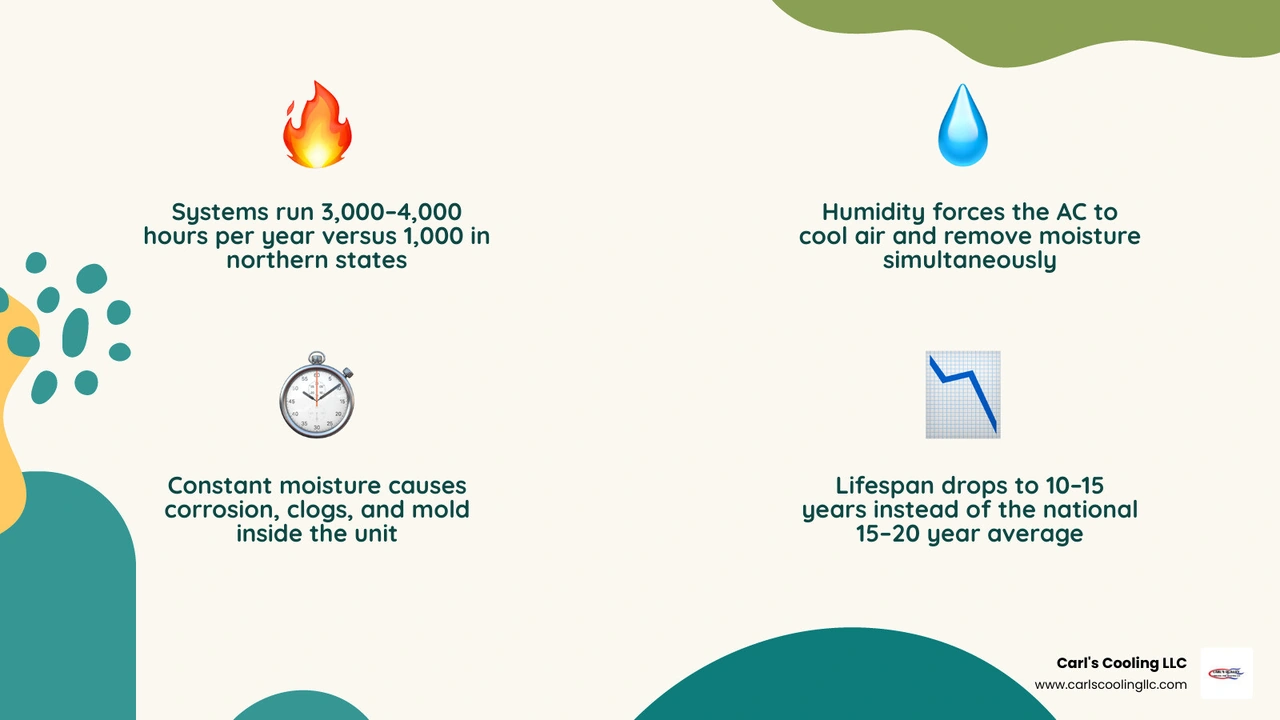
How Year-Round Heat and Humidity Stress Your AC in Montgomery County
In Montgomery, Conroe, The Woodlands, Magnolia, Willis, Spring, Tomball, Humble, and nearby areas, AC systems do not get the long seasonal break they would in cooler parts of the country. Even when it is not brutally hot, outdoor moisture stays high enough that your system still has work to do.

Why hot, humid climates wear systems down faster than seasonal climates
In a seasonal climate, an air conditioner may run heavily for a few summer months and then rest. Here, cooling season stretches much longer, and heat pumps often keep working through mild winter swings too. That means:
- More annual run hours
- More startup and shutdown cycles
- More stress on electrical parts
- More wear with no real offseason
This is why systems in hot, humid regions often last about 10 to 15 years instead of the 15 to 20 years many homeowners hear quoted nationally.
How year round heat and humidity stress your ac even when temperatures seem moderate
A common surprise for homeowners is this: your AC can be stressed even on a day that does not feel extreme.
Why? Because temperature is only half the battle. When humidity is high, your system has to remove water vapor from indoor air before the home feels comfortable. That moisture removal is called latent cooling. The actual temperature drop is sensible cooling.
So on a muggy 82°F day, your AC may still run longer than expected because it is doing two jobs at once. That is why a house can read 74°F on the thermostat but still feel sticky. The thermostat sees temperature. Your skin notices humidity and complains loudly.
How year round heat and humidity stress your ac compared with cooler, drier regions
Here is the simple comparison:
| Climate type | Typical annual AC runtime | Typical lifespan | Main stressors |
|---|---|---|---|
| Hot, humid Southeast Texas | 3,000-4,000 hours | 10-15 years | Heat, humidity, long cooling season, storms |
| Cooler, drier seasonal climates | Around 1,000 hours | 15-20 years | Short summer season, less moisture load |
There is also the practical limit many systems face in extreme heat: the 20-degree rule. Most residential systems are designed to produce about a 20°F difference between return air and supply air under normal conditions. So when outdoor temperatures climb toward 100°F, your system is working near its limit just to keep indoor conditions reasonable. Add high humidity, and capacity that could have gone toward cooling is redirected toward dehumidifying.
Which AC Components Wear Out First in Heat and Humidity
Some parts of an AC system age gracefully. Others act like they have been through a Texas summer before breakfast.
For a helpful basics refresher, see Essential AC Maintenance Tips.
Compressor, coils, and blower parts under constant stress
The compressor usually takes the biggest beating. It is the heart of the system, pumping refrigerant and helping move heat from inside your home to the outdoors. In extreme heat, condenser temperatures rise, head pressure climbs, and the compressor works harder for longer periods.
Other hard-hit components include:
- Evaporator coil: Handles moisture removal and can become saturated or freeze if airflow is restricted
- Condenser coil: Rejects heat outdoors and loses efficiency quickly when dirty
- Blower motor: Runs longer in humid weather to move more air across the coil
- Capacitors and contactors: Electrical parts that wear faster with frequent cycling and high heat
Research also shows that in humid climates, capacitors may fail sooner and fan motors can have shorter service lives than they do in drier regions.
Moisture-related failures: corrosion, drain clogs, and electrical damage
Humidity creates a second layer of wear beyond normal mechanical fatigue.
Moisture inside and around the system can lead to:
- Corrosion on coils and refrigerant lines
- Pitting in copper
- Rust on metal components
- Sludge or algae in the condensate drain
- Water backups around the air handler
- Musty odors from microbial growth
When the drain line clogs, water can back up into the system or home. When moisture hangs around electrical connections, it can contribute to shorts, arcing, and premature part failure. Add thunderstorm season and power surges, and sensitive controls may have a rough year.
Extra regional stressors that shorten AC life
Around Montgomery County and Greater Houston-area communities, heat and humidity are not the only enemies.
Additional wear often comes from:
- Heavy pollen loading that clogs filters faster
- Dust and debris coating outdoor coils
- Storm debris around condenser units
- Poor attic insulation that increases heat gain
- Leaky attic ducts that lose cooled air in very hot spaces
- Oversized systems that short cycle
- Undersized systems that never catch up
Improper sizing is especially important. An oversized AC cools quickly but often shuts off before removing enough humidity. The result is a cold-but-clammy house and more compressor wear from short cycling. An undersized system can run nearly nonstop, which creates a different kind of stress.
Why Humidity Makes Cooling Harder and What Happens When Your System Falls Behind
If your system is running but the house still feels muggy, this section explains why. If your unit is not keeping up, Why Is My AC Not Cooling My Home is also worth reading.
Why high humidity steals cooling capacity
Air conditioning is not just about lowering temperature. It also removes moisture as warm indoor air passes over a cold evaporator coil. Water vapor condenses on the coil and drains away.
In humid conditions, a significant share of the system's cooling capacity can be used for dehumidification instead of temperature reduction. Some research suggests humidity can consume roughly 30% to 40% of total capacity under heavy moisture load. That is a big reason homes can feel warmer than the thermostat reading suggests.
For best comfort, indoor relative humidity should usually stay around 40% to 50%. Once indoor humidity rises above 60%, many people notice the air feels sticky, stale, or warmer than it should.
What happens when the AC cannot keep up
When your system falls behind, several things can happen at once:
- It runs longer or nearly nonstop
- Indoor humidity stays high
- Rooms feel warm and damp instead of cool and dry
- Hot and cold spots become more noticeable
- Condensation may form on vents or windows
- Musty odors can develop
- Mold risk goes up
- Energy use increases
In severe cases, airflow problems plus heavy humidity can contribute to frozen evaporator coils. It sounds backward, but it happens: low airflow lets the coil get too cold, moisture freezes on it, and cooling drops even more.
The most common warning signs of heat and humidity stress
Watch for these signs that your AC is struggling:
- AC runs all afternoon and never seems to cycle off
- Indoor air feels clammy even at the set temperature
- Uneven cooling between rooms
- Short cycling
- Weak airflow from vents
- Ice on refrigerant lines or the indoor coil
- Water leaks near the air handler
- Musty or dirty-sock smells
- Rising electric bills without a thermostat change
- Noisy startup, buzzing, or hard starts
- Breaker trips during heavy use
- The house gets noticeably worse during humid afternoons
If you are seeing several of these at once, it is time for a professional inspection rather than hoping the weather gets less dramatic.
Smart Thermostat Settings and Upgrades That Reduce Strain
Technology cannot change the weather, sadly. But it can help your system handle the weather more efficiently.
For more ways to reduce load, see Improve AC Efficiency in Summer Heat and Lower Your Air Conditioning Costs This Summer.
Is it better to hold a steady temperature or raise it when you leave?
In hot, humid climates, it is usually better to raise the thermostat moderately when you are away rather than turning the system off completely.
A good rule of thumb is to increase the setting by about 5 to 7 degrees. Many homeowners do well with a setting around 78°F when home and a slightly higher setting when away. That helps reduce runtime while still controlling humidity.
Why not shut it off entirely?
Because in a humid climate, that can let moisture build up in drywall, furniture, carpet, and indoor air. Then your AC has to remove all that accumulated humidity later, which can mean a long recovery cycle and more strain.
Use these habits:
- Keep the fan setting on Auto, not On
- Use moderate setbacks, not extreme ones
- Program the temperature to recover shortly before you return
- Avoid large indoor-outdoor temperature gaps during peak heat
How smart controls and humidity-focused equipment help
A smart thermostat can help reduce cooling costs by up to 15% in variable weather conditions when used properly. More importantly in our climate, many smart controls improve consistency.
Helpful upgrades include:
- Smart thermostats with scheduling and remote access
- Humidity-aware controls
- Variable-speed blowers
- Two-stage or variable-speed compressors
- Whole-house dehumidifiers
Variable-speed systems are especially helpful in humid regions because they can run longer at lower speeds. That sounds less impressive than "full blast," but it is often better for moisture removal, comfort, and wear reduction.
A whole-house dehumidifier can also take some of the latent load off the AC, allowing the system to focus more on temperature control instead of trying to be a cooling system and a swamp wrangler at the same time.
When an older system should be replaced instead of repaired
In Montgomery County, replacement often becomes the smarter long-term move when a system is:
- Around 10 to 15 years old
- Running constantly in summer
- Struggling to control humidity
- Breaking down repeatedly
- Using noticeably more electricity
- Built with outdated efficiency levels
Research indicates a 12-year-old AC may use 30% to 50% more electricity than a newer high-efficiency system, especially after years of hard use in a humid climate.
If your system is showing its age, start with Signs You Need AC Replacement and Professional AC Replacement Guide.
Maintenance Habits That Help Prevent AC Damage from Heat and Humidity
Preventive care matters everywhere, but it matters even more where AC systems work almost nonstop. Skipping maintenance can lead to 10% to 15% higher energy bills and shorten equipment life.
For deeper reading, visit Ensure Year-Round Performance with AC Service, Summer AC Maintenance Tips, and the Ultimate HVAC Maintenance Guide for Montgomery County.
The most important maintenance tasks in a hot, humid climate
The highest-value maintenance habits include:
- Check 1-inch filters every 30 days during heavy-use months
- Replace dirty filters promptly
- Schedule professional service twice a year
- Clean condenser coils
- Inspect and clean the evaporator coil as needed
- Flush condensate drain lines
- Verify refrigerant charge
- Inspect capacitors, contactors, and electrical connections
- Check blower performance and airflow
Biannual service is especially important in our area because the system does not get much downtime.
Preventing airflow and moisture problems around the home
Some AC strain starts with the house, not the equipment.
We recommend paying attention to:
- Duct sealing, especially in hot attics
- Adequate attic insulation
- Open, unblocked supply and return vents
- Clean return grilles
- Vegetation trimmed back at least 2 feet from the outdoor unit
- Indoor humidity monitoring if rooms feel muggy
- Drain line maintenance to prevent algae and clogs
Even a well-maintained AC can struggle if it is fighting leaking ductwork, blocked airflow, or major heat gain from the home itself.
Choosing the right system setup for long-term durability
When replacement time comes, durability in Southeast Texas depends on more than brand or tonnage.
The best setup usually includes:
- Proper sizing based on a Manual J load calculation
- Variable-speed or two-stage operation
- Strong humidity control features
- Modern SEER2-rated efficiency
- Good duct design and sealing
- Optional whole-home dehumidification
- Indoor air quality upgrades such as filtration or air purification when needed
Bigger is not better in humid climates. Better is better.
Frequently Asked Questions About How Year Round Heat and Humidity Stress Your AC
How much shorter is AC lifespan in hot, humid climates?
In climates like ours, many central AC systems last about 10 to 15 years. National averages are often closer to 15 to 20 years. The shorter lifespan comes from longer runtime, constant moisture exposure, higher electrical stress, corrosion, and more months of operation each year.
Can whole-house dehumidifiers really reduce AC strain?
Yes. A whole-house dehumidifier lowers the latent load, which means your air conditioner does not have to spend as much of its capacity removing moisture. That can improve comfort, reduce muggy conditions, support mold prevention, and lower wear on major components.
When should homeowners in Montgomery County schedule service or plan replacement?
We recommend professional service in spring before peak cooling season and again in fall to catch wear from the long summer stretch. If your system is older, needs repeat repairs, struggles with humidity, or runs constantly in hot weather, it is smart to start planning before it fails unexpectedly.
For local help and service information, visit More info about Montgomery, TX services.
Conclusion
In Southeast Texas, protecting your AC is really about managing a year-round workload. Heat pushes the system hard. Humidity makes it do extra work. Together, they shorten lifespan, raise energy use, and increase the chance of breakdowns if maintenance slips.
The best defense is a proactive one:
- Keep up with filter changes
- Schedule maintenance twice a year
- Watch for humidity-related warning signs
- Use smart thermostat settings
- Consider upgrades that improve dehumidification
- Plan replacement before an aging system becomes unreliable
That approach helps extend system life, improve comfort, and support healthier indoor air through every long, sticky season Montgomery County can throw at us.
If you are also thinking about long-term home value, read How a New HVAC System Increases Home Value. For local service details, visit More info about Montgomery, TX services.