
Why Your Digital Thermostat Matters for Home Comfort
Digital thermostat problems can be a major headache, affecting your comfort and your wallet. As the brain of your HVAC system, a faulty thermostat can increase energy bills by 10-20%. Whether you're facing a blank screen, incorrect readings, or a system that won't stop running, quick identification and resolution are key. Many issues have simple solutions you can tackle yourself.
Common digital thermostat problems include:
- Blank or unresponsive screen - Often caused by dead batteries, tripped breakers, or loose wiring
- Inaccurate temperature readings - Usually due to poor placement, dirty sensors, or calibration issues
- HVAC system not responding - Can result from incorrect settings, wiring problems, or compatibility issues
- Short cycling or continuous running - Typically caused by miscalibration, faulty sensors, or system sizing problems
- Wi-Fi connectivity issues (smart thermostats) - Related to network problems, weak signal, or firmware updates
- Lost programming or settings - May indicate power supply issues or internal memory problems
This guide will walk you through identifying these common problems, provide step-by-step troubleshooting instructions, and help you know when to call a professional. For more help, see our thermostat problems solutions guide or visit our AC thermostat digital controls service page.

Identifying Common Digital Thermostat Problems
When your digital thermostat stops working, you'll notice immediately. Most digital thermostat problems have straightforward explanations, from simple power issues to sensor malfunctions. Common culprits include:
- Power issues: Your thermostat needs reliable electricity from batteries or your home's wiring to function.
- Sensor malfunctions: A dirty, poorly placed, or worn-out sensor provides faulty temperature information, leading to poor HVAC performance.
- Wiring problems: Loose or damaged wires can break the communication between your thermostat and your HVAC system.
- Incorrect settings: A surprising number of issues stem from a thermostat being on the wrong mode or an old schedule.
- HVAC communication failure: The thermostat may send signals, but the furnace or AC unit isn't receiving or responding to them.
Understanding these common failure points is the first step to a solution. For more details, see our Thermostat Problems Solutions guide.
Power and Display: Troubleshooting Blank Screen Digital Thermostat Problems
A blank thermostat screen is a common digital thermostat problem, but the fix is often simple. Before assuming the worst, check these power-related culprits:

- Dead batteries: This is the most frequent cause. Even hardwired thermostats often use batteries for backup. Swap in a fresh set.
- Tripped circuit breaker: A tripped breaker cuts power to the entire HVAC system. Go to your electrical panel, find the breaker for your HVAC, and reset it by flipping it fully off, then back on.
- Blown fuse: Your furnace or air handler's control board has a small fuse that protects the electronics. If it blows, it can cut power to the thermostat.
- Loose wiring: Connections at the thermostat or the HVAC control board can loosen over time, interrupting power.
- Furnace safety switch: A switch on the furnace access panel cuts power if the panel isn't securely closed. Ensure the panel is shut properly.
Inaccurate Temperature Readings and Sensor Issues
When your thermostat's reading doesn't match how the room feels, your HVAC system operates on bad information. This is a common digital thermostat problem that leads to discomfort and wasted energy. For more on this, see our AC Thermostat May Be Malfunctioning article. Here are the usual causes:
- Poor thermostat placement: A thermostat should be on an interior wall, away from drafts, doorways, and direct sunlight to get an accurate reading of your home's average temperature.
- Nearby heat sources: Mounting a thermostat near lamps, televisions, or heat vents will trick it into thinking the room is warmer than it is.
- Dust and debris: A layer of dust can insulate the sensor, preventing it from accurately reading the air temperature. Gentle cleaning can often fix this.
- Faulty sensors: Over time, the internal sensor can fail and give consistently wrong readings.
- Calibration issues: Many digital thermostats can be calibrated to correct a consistent temperature offset. Check your user manual for instructions on adjusting this setting.
HVAC System Behavior: Short Cycling or Continuous Running
When your HVAC system's rhythm is off, it's a sign of trouble. Two common behaviors are short cycling and continuous running, which are often symptoms of digital thermostat problems. These issues waste energy and strain your equipment. Our Troubleshoot AC Thermostat Issues guide has more information.
- Short cycling is when your system turns on and off every few minutes without completing a full cycle.
- Continuous running is when your system runs endlessly without reaching the set temperature.
Common causes for both issues include:
- Incorrect thermostat placement: A thermostat in a drafty area or near a heat source will get false readings, causing erratic system behavior.
- Miscalibration: If the thermostat's temperature reading is off, it will signal the HVAC system to run at the wrong times.
- Faulty wiring: Intermittent signals from a loose wire can cause the system to start and stop unpredictably.
- Oversized HVAC system: A system that's too large for your home will heat or cool the space too quickly, leading to short cycles.
- Clogged air filters: Restricted airflow from a dirty filter makes your system work harder and can lead to overheating and strange cycling behavior.
Step-by-Step DIY Troubleshooting Guide
Before troubleshooting digital thermostat problems, safety is paramount. Always turn off the power to your HVAC system at the circuit breaker before touching any wiring. This protects you and your equipment. Gather a basic toolkit, including a screwdriver and flashlight. Once you've taken safety precautions, you can work methodically to identify the issue, starting with the simplest fixes first. For more guidance, see our AC Thermostat Digital Controls page.
Checking the Power Supply
Power supply issues are a primary cause of digital thermostat problems, especially a blank screen. Here’s how to check for them:
- Replace the batteries: If your thermostat uses them, this is the first and most common fix. Even hardwired units often have battery backups.
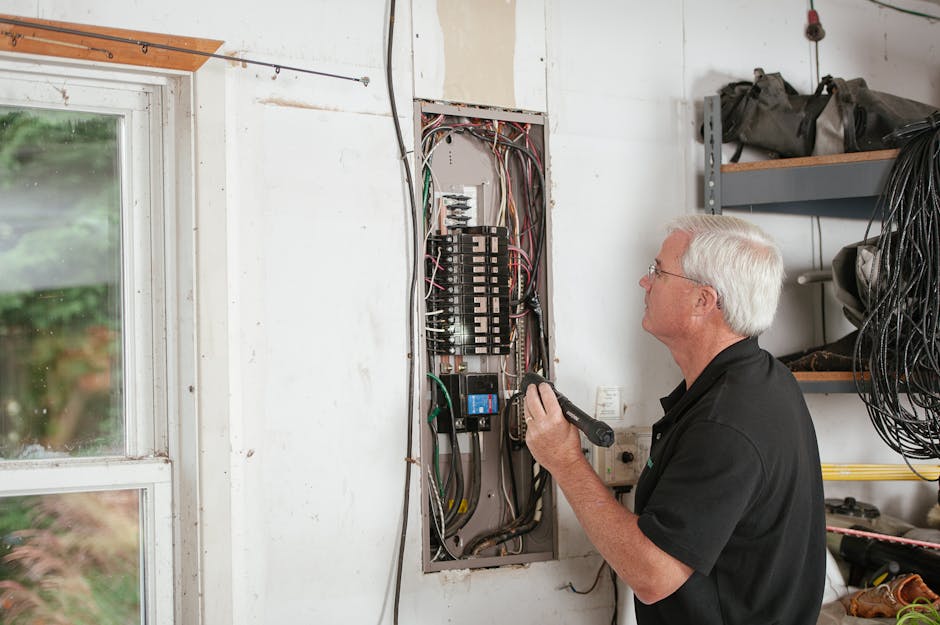
- Check the circuit breaker: Find the breaker for your HVAC system in your electrical panel. If it's tripped, flip it completely off and then back on to reset it.
- Inspect the HVAC control board fuse: With the power off, open your furnace or air handler to check the small fuse (usually 3 or 5 amps) on the control board. A blown fuse will cut power to the thermostat.
- Verify the furnace switch is on: Many furnaces have a power switch nearby that can be accidentally turned off. Ensure it's in the "On" position.
- Check for loose wires: With the power off, gently tug on the wires at the thermostat and the HVAC control board to ensure they are secure.
How to Reset Your Digital Thermostat
Resetting your thermostat can often resolve minor software glitches that cause digital thermostat problems. There are three types of resets:
- Soft Reset: Many models have a small, recessed reset button (you may need a paperclip). This reboots the device without erasing your settings. Consult your user manual for the specific procedure.
- Hard Reset (Power Cycle): Turn off power to your HVAC system at the circuit breaker. Wait 30 seconds, then turn the power back on. This forces a complete restart and can clear more stubborn issues.
- Factory Reset: This reverts the thermostat to its original settings, erasing all your custom schedules and Wi-Fi connections. This is a last resort and the procedure varies by model, so check your user manual.
After any reset, you will need to reprogram your settings to ensure efficient operation.
Inspecting Settings and Programming
Incorrect settings are a frequent source of digital thermostat problems. Before assuming a malfunction, perform a quick review of these settings:
- Mode Setting: Ensure the thermostat is set to "Heat" in winter, "Cool" in summer, or "Auto" if you use both. An "Off" setting will prevent the system from running.
- Fan Setting: The "Auto" setting is most efficient, running the fan only when heating or cooling. The "On" setting runs the fan continuously.
- Programmed Schedules: An old or forgotten schedule might be overriding your manual temperature adjustments. Review your programmed settings to ensure they match your current needs.
- Hold or Vacation Modes: Check if a "Hold" or "Vacation" mode is active. These features override your regular schedule. Look for an option to "Cancel Hold" or "Resume Schedule."
Advanced Issues: Smart Thermostats and Connectivity
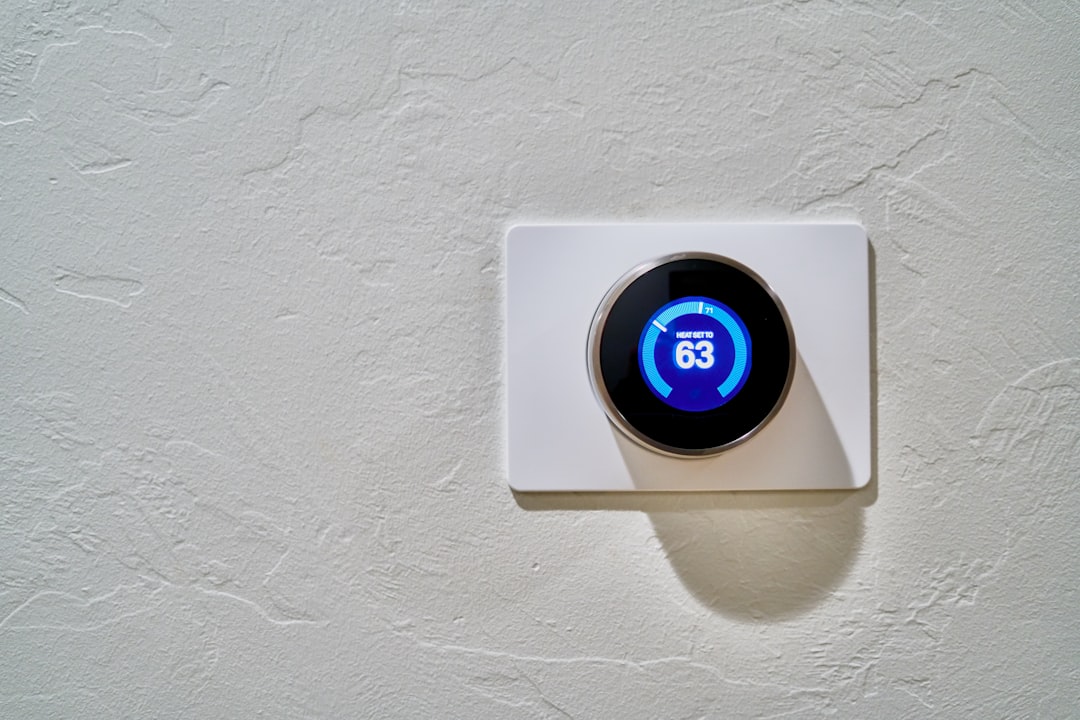
Smart thermostats offer remote control and energy insights, but they also introduce a new category of digital thermostat problems: connectivity issues. When a smart thermostat can't connect to Wi-Fi or its app, it loses its advanced features. Fortunately, most of these problems have simple solutions. Our guide on Smart Thermostats and Digital Controls explores these devices in more detail.
Connectivity Woes: Fixing Smart Digital Thermostat Problems
Wi-Fi connectivity issues are among the most common digital thermostat problems for smart models. If your thermostat is offline, try these steps:

- Check your Wi-Fi network: First, confirm your internet is working by connecting another device. If not, the issue is with your router or internet service.
- Verify the Wi-Fi password: A simple typo can prevent connection. Double-check that you've entered the correct password.
- Restart your router and thermostat: Unplug your router for 30 seconds, then plug it back in. Once the network is back online, perform a soft reset on your thermostat.
- Check signal strength: A weak signal can cause connection drops. If your thermostat is far from your router, you may need a Wi-Fi extender.
- Use the 2.4 GHz band: Most smart thermostats only connect to 2.4 GHz Wi-Fi networks, not 5 GHz. Ensure you are connecting to the correct network band during setup.
App Not Syncing or Responding
Sometimes the thermostat is connected, but the smartphone app isn't working. If you're facing these digital thermostat problems, try these fixes:
- Restart the app: Fully close the app on your phone (don't just minimize it) and then reopen it to clear temporary glitches.
- Update the app: Check your phone's app store for updates to the thermostat app. Developers regularly release fixes for bugs and performance issues.
- Check for firmware updates: Ensure your thermostat's own software (firmware) is up to date. You can usually check for this in the thermostat's settings menu or within the app.
- Re-pair the thermostat: As a last resort, try removing the thermostat from your app and adding it again. Your user manual will have specific instructions for this process.
For more on smart thermostat benefits, read our article on Smart Thermostats for Homes: Efficiency.
When to Call a Professional and Preventative Maintenance
While many digital thermostat problems have DIY solutions, some issues require an expert. Knowing your limits is key to safety and preventing more costly damage to your HVAC system. Complex electrical work or issues inside the HVAC unit itself are best left to a trained technician.
Call a professional HVAC technician if:
- You've tried all the DIY troubleshooting steps without success.
- You see frayed or damaged wiring.
- Your HVAC system is making strange noises or emitting odors.
- You're uncomfortable working with electrical components.
- The problem persists after you've ruled out the thermostat.
- You want to relocate or upgrade your thermostat.
Professional diagnosis can determine if the issue is the thermostat or a deeper problem within your HVAC system.
Signs Your Thermostat Needs to Be Replaced
Thermostats have a lifespan of about 10 to 15 years. As they age, replacement often becomes a better option than repeated repairs, especially since an old, failing thermostat can waste significant energy. Look for these signs that it's time for a replacement:
- Frequent malfunctions: If you're constantly troubleshooting different digital thermostat problems, the internal components are likely failing.
- Unresponsive controls: Buttons that don't work, a lagging touchscreen, or settings that won't change are signs of hardware failure.
- Fading or flickering display: A display that remains dim or inconsistent even with new batteries indicates the unit is wearing out.
- Inability to hold settings: If your thermostat constantly loses its programming, schedules, or Wi-Fi credentials, its internal memory is likely compromised.
Preventative Maintenance for Your Thermostat
A few minutes of simple maintenance can prevent many digital thermostat problems and extend your unit's life. Follow these tips:
- Clean regularly: Every few months, gently wipe the exterior with a soft, dry cloth. With the power off, you can also remove the cover and use a soft brush or compressed air to carefully clean dust from the internal components.
- Replace batteries annually: For battery-powered or backup-battery models, replace the batteries once a year as a preventative measure, rather than waiting for a low-battery warning.
- Check for firmware updates: If you have a smart thermostat, periodically check for and install firmware updates through the app or settings menu.
- Ensure proper airflow: Keep furniture and curtains away from the thermostat. Also, regularly change your HVAC air filter to prevent airflow issues that can cause temperature misreadings.
- Seal wall gaps: Check for any small holes or gaps in the wall behind the thermostat and seal them with caulk to prevent drafts from affecting the sensor.
Frequently Asked Questions about Digital Thermostat Issues
Why does my thermostat say "cool on" but the AC isn't running?
This common digital thermostat problem can have several causes. First, many AC units have a built-in 3-5 minute time delay to protect the compressor; wait a few minutes to see if it starts. If it doesn't, check for a tripped safety switch in your HVAC unit, often caused by a full condensate drain pan. Clearing the drain line can resolve this. Finally, the issue could be faulty wiring between the thermostat and the AC unit, which may require professional inspection.
Can a faulty thermostat cause high energy bills?
Absolutely. A faulty thermostat is a leading cause of high energy bills, often increasing them by 10-20%. This happens in several ways:
- Inaccurate temperature readings: If the sensor is off, your system will run too long or at the wrong times, wasting energy.
- Short cycling: When the system turns on and off too frequently, it consumes a large amount of energy at every startup without efficiently cooling or heating your home.
- Continuous running: A thermostat that fails to signal your system to shut off will cause it to run non-stop, leading to massive energy consumption and equipment strain.
Ignoring digital thermostat problems directly impacts your utility bills.
How do I know if the problem is my thermostat or my HVAC system?
To determine the source of the problem, start by troubleshooting the thermostat. It's the easier component to check. Follow the basic steps in this guide: check the power supply (batteries, breaker), verify the settings (mode, schedule), and perform a reset.
If the thermostat seems to be working correctly after these checks (e.g., the display is on, settings can be changed) but your HVAC system still isn't responding properly, the issue is likely with the HVAC unit itself. Problems could include the blower motor, compressor, or refrigerant levels. At this point, it's best to call a professional for an accurate diagnosis.
Your Guide to a Comfortable Home
We hope this guide helps you feel more confident in tackling common digital thermostat problems. Remember to start with the simple checks first, like replacing batteries, checking breakers, and reviewing settings. These simple steps often resolve the issue without the need for a service call.
However, not every problem has a DIY fix. If your thermostat is old, malfunctions persist, or the issue seems to be with the HVAC system itself, professional expertise is the smartest and safest choice. At Carl's Cooling LLC, we're experienced in diagnosing and resolving all types of thermostat and HVAC issues.
Your home should be a comfortable retreat. If your thermostat is compromising that comfort, we're here to help. For expert thermostat services and upgrades, explore our Thermostats page.